
 Mainframe Tutorial
 JCL Tutorial
 Introduction
 Mainframe Interview Q&A
 Mainframe Quiz
 Mainframe Memes
 Contact us
 About us
Module 1: ChangeMan Introduction
 Backward

ChangeMan- Introduction
ChangeMan ZMF (from Rocket Software, originally Serena) is the standard software change management tool on IBM z/OS mainframes. It controls every code change from the moment a developer edits a program until that change is safely running in production.
On a mainframe, hundreds of developers share the same libraries. Without control, one person can overwrite another's fix, untested code can reach production, and nobody can prove who changed what. ChangeMan ZMF solves all three problems: it packages changes, moves them through test regions in a fixed lifecycle, and records a complete audit trail.
Why mainframes need change management
- Many developers share production-bound libraries, so concurrent changes must be serialized and tracked.
- Production integrity: no code reaches production without testing, audit and approvals.
- Regulatory compliance (SOX, banking audits) requires proof of who changed what, when, and who approved it.
- Backout capability: if a change breaks production, the previous version must be restorable in minutes.
Key vocabulary
- Application - a group of packages managed together (for example PAYROLL, BILLING). Defined by the ZMF administrator in global parameters.
- Package - a container holding every component of one change (programs, copybooks, JCL, DDL). The package travels through the whole lifecycle as a single unit.
- Component - one member inside a package, for example the COBOL source PAY1000 or the copybook PAYREC.
- Library type - the classification of a component: SRC (source), LOD (load module), CPY (copybook), JCL, PRC (procedure), OBJ, DDL and others. The library type decides which compile procedure runs and which datasets are used.
- Staging libraries - package-owned PDS datasets where you check out and edit components during development.
- Baseline libraries - the last known good versions of every component. Checkout always starts from baseline.
- Promotion libraries - test-region copies (PROM1, PROM2) filled by the promote process for system and user testing.
- Production libraries - the live libraries. Only the install job can update them; developers can never write to them directly.
- Global parameters - site-wide ZMF settings: dataset name patterns, promotion levels, approver lists, scheduler options.
Package lifecycle overview
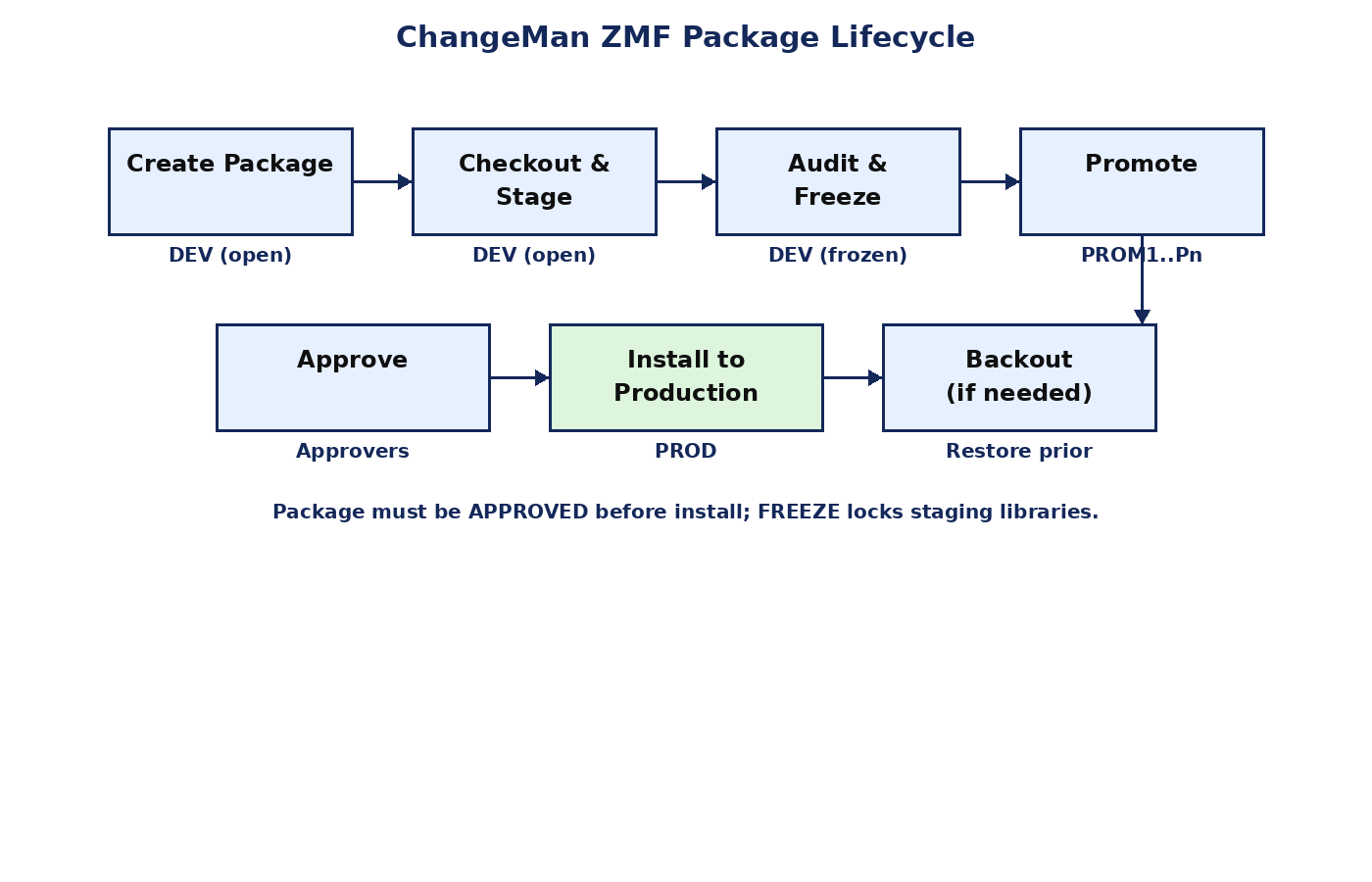
Every package follows the same lifecycle. You cannot skip steps: ZMF enforces the order.
- Create - the package is created and its staging libraries are allocated.
- Checkout and stage - components are checked out from baseline (or added new) and edited/compiled in staging.
- Audit and freeze - a batch audit verifies package integrity, then the package is frozen (locked).
- Approve - designated approvers (manager, QA, DBA) approve the package.
- Promote - the package is promoted through test regions (PROM1, PROM2) for testing.
- Install - at the scheduled date and time, the install job moves components into production libraries.
- Backout - if production breaks, the package is backed out and prior versions are restored.
The ZMF ISPF panels
- You reach ZMF from the ISPF Primary Option Menu through the menu option your site defined; the ZMF Primary Option Menu panel is CMNPRIM.
- Main panels: Create, Package list, Checkout, Stage, Audit, Freeze, Approve, Promote/Demote, Install, Backout, Query.
- Use PF1 (HELP) on any panel to see what each field means; PF3 (END) exits a panel.
- Most panels accept line commands against packages or components (for example S to select, C to checkout).
Approvals
- Each application defines approval entities: the people or roles that must sign off (team lead, QA, DBA, operations).
- A package cannot install until every required approval is recorded.
- Approvers work on the Approve panel; ZMF can notify them that a package awaits approval.
Audit trail
- ZMF logs every action: who did it, when, and what changed. The package History/Query panels show the full trail.
- Auditors use these logs to prove that changes were tested, approved and installed in a controlled way.