Mainframe Tutorial
 JCL Tutorial
 Introduction
 Mainframe Tips & Tricks
 Mainframe Interview Q&A
 Troubleshooting
 Mainframe Quiz
 Mainframe Online Tests
 Mainframe Jokes/Memes
 Mainframe Tools
 Contact us
 About us
ISPF Tips & Tricks
 Backward

See unsaved changes with COMPARE SESSION
Most if time we face situation wherein we do not remember the changes we made from last save point for such situation there is one important command we can use as follows:-
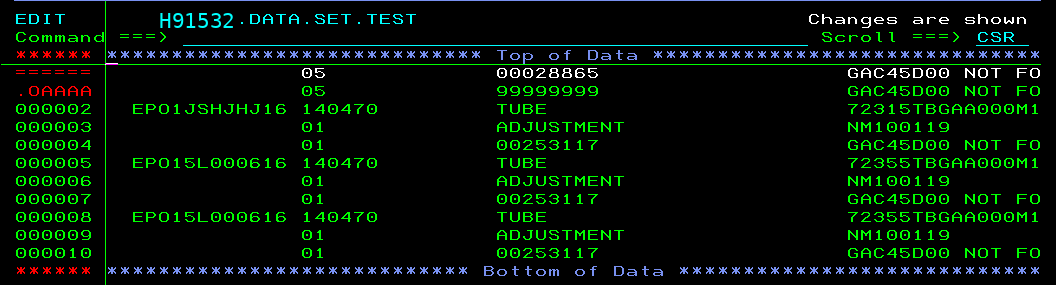
Just type “COMPARE SESSION” in command line and you are done. It will show you the changes from last save point
Example
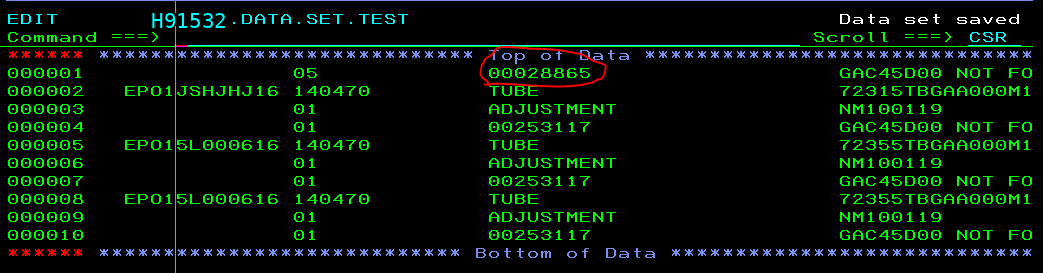
Current view of data set and let’s change the highlighted number “00028865” to “99999999” (but not saved)
After changing, we passed “COMPARE SESSION” in command line, and below is results:-