
 Mainframe Tutorial
 JCL Tutorial
 Introduction
 Mainframe Tips & Tricks
 Mainframe Interview Q&A
 Troubleshooting
 Mainframe Quiz
 Mainframe Online Tests
 Mainframe Jokes/Memes
 Mainframe Tools
 Contact us
 About us
ISPF Tips & Tricks
 Backward

Compare specific columns across files in SuperCE (CMPCOLMN)
Once we faced situation where in we had two compare between files but what was uncommon this time is we had two compare two field of two different file. We had to compare filed at column position between 10 to 20 in FILE1 to filed at column position between 30 to 40 in FILE2. Below is how we got did so:-
Go to option 3.13 from ISPF home screen, and provide file names in New DS Name, Old DS Name fields and then issue “E” on from command line
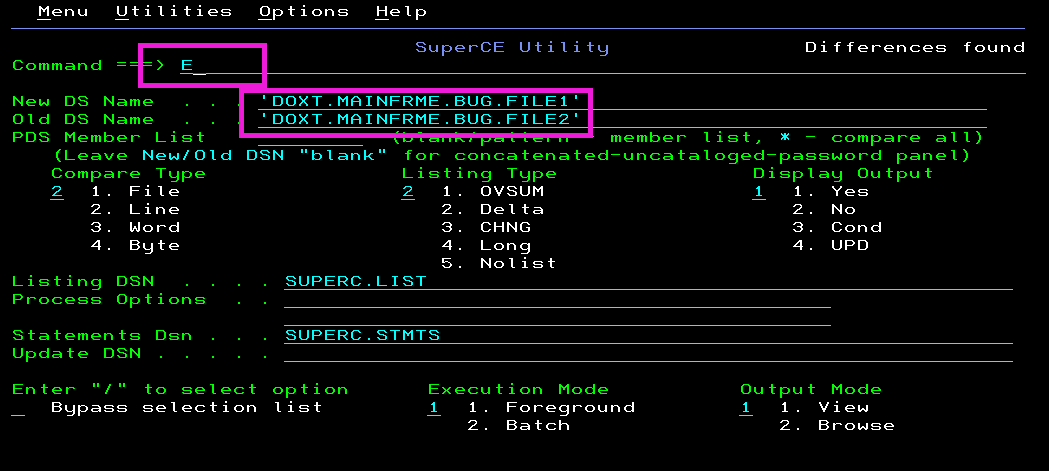
In below screen type
CMPCOLMN 10:20
CMPCOLMO 30:40

Press F3 and come out and then press enter to compare. You will see the difference on screen