
 Mainframe Tutorial
 JCL Tutorial
 Introduction
 Mainframe Interview Q&A
 Mainframe Quiz
 Mainframe Memes
 Contact us
 About us
Module 3: ISPF Edit
 Backward

ISPF- ISPF Editor
The ISPF editor (option 2) is where you write and change programs, JCL and data. You edit a member of a partitioned dataset or a whole sequential dataset. Changes are kept in memory until you save, so the editor is forgiving while you work.
Opening a member for edit
Type 2 on the primary option menu. Fill in the dataset name (Project/Group/Type/Member or the full quoted name) and press Enter. If the member does not exist, ISPF creates an empty one.
- Use * in the Member field to pick from a member list.
- View (option 1) looks identical but never saves changes. Browse is read-only too. Use Edit when you intend to change things.
Line commands
Line commands are typed over the 6-digit line numbers on the left, then you press Enter. They act on one line, or on a block when you add a number (D3 deletes 3 lines).
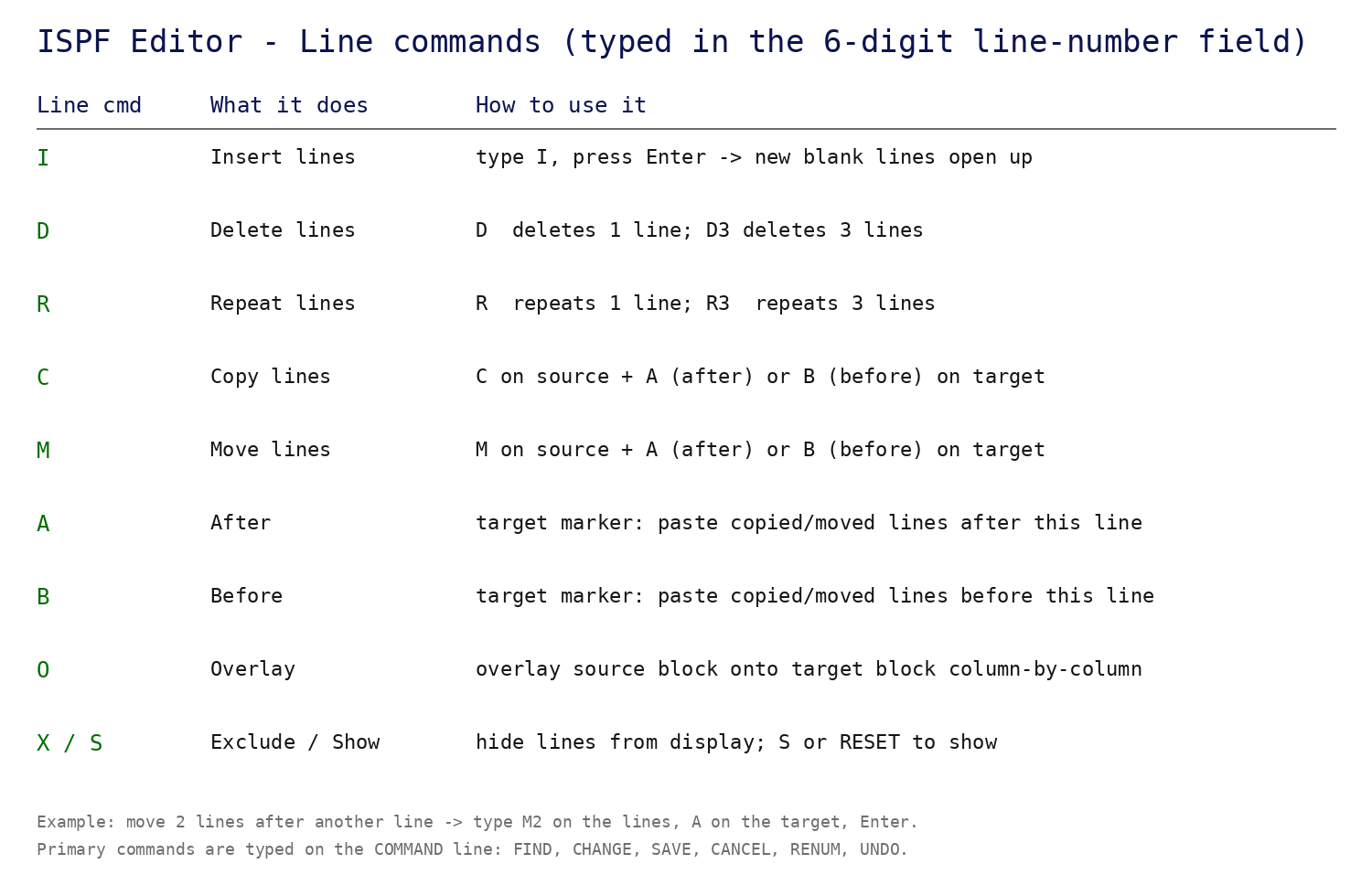
- I - Insert. Opens new blank lines after the line. In opens n lines.
- D - Delete. Dn deletes n lines. DD on two lines deletes the whole block between them.
- R - Repeat. Copies the line below itself. Rn repeats n times.
- C - Copy. Mark source lines with C (or CC block), then mark the target with A (after) or B (before).
- M - Move. Same as copy, but the source lines are deleted after the move.
- O - Overlay. Overlays a copied block onto a target block column by column (blanks in the source do not overwrite).
- X - Exclude. Hides lines from the display. S shows them again; RESET shows everything.
- A block example: type CC on the first and last line of the block, A on the target line, press Enter.
Primary commands
Primary commands are typed on the Command ===> line at the top of the edit panel.
- FIND (F) searches forward. PF5 (Rfind) repeats the last find. Add PREV to search backward, ALL to list every hit.
- CHANGE (C) replaces text. Always run with ALL only when you mean it; otherwise change one occurrence at a time and confirm with Rchange (PF6).
- SAVE writes your changes. PF3 (End) saves and leaves. CANCEL leaves without saving.
- CAPS ON/OFF controls whether typed lowercase is converted to uppercase. Keep CAPS ON for COBOL and JCL.
- NUMBER ON/OFF controls the sequence numbers in columns 73-80. Turn NUMBER OFF when editing data that must not have sequence numbers.
- BOUNDS limits FIND/CHANGE to certain columns, useful for changing only the sequence-number area or only columns 8-72.
A real editing session
Fix a typo in a COBOL program: change every 'CUSTMOER' to 'CUSTOMER', save, and leave.