
 Mainframe Tutorial
 JCL Tutorial
 Introduction
 Mainframe Interview Q&A
 Mainframe Quiz
 Mainframe Memes
 Contact us
 About us
Module 4: ChangeMan Promotion
 Backward

ChangeMan- Promotion
Promotion moves a frozen package's components from staging into test-region libraries so the change can be tested. A package is promoted level by level - for example from development to PROM1 (system test), then to PROM2 (user acceptance) - and each level has its own set of promotion libraries.
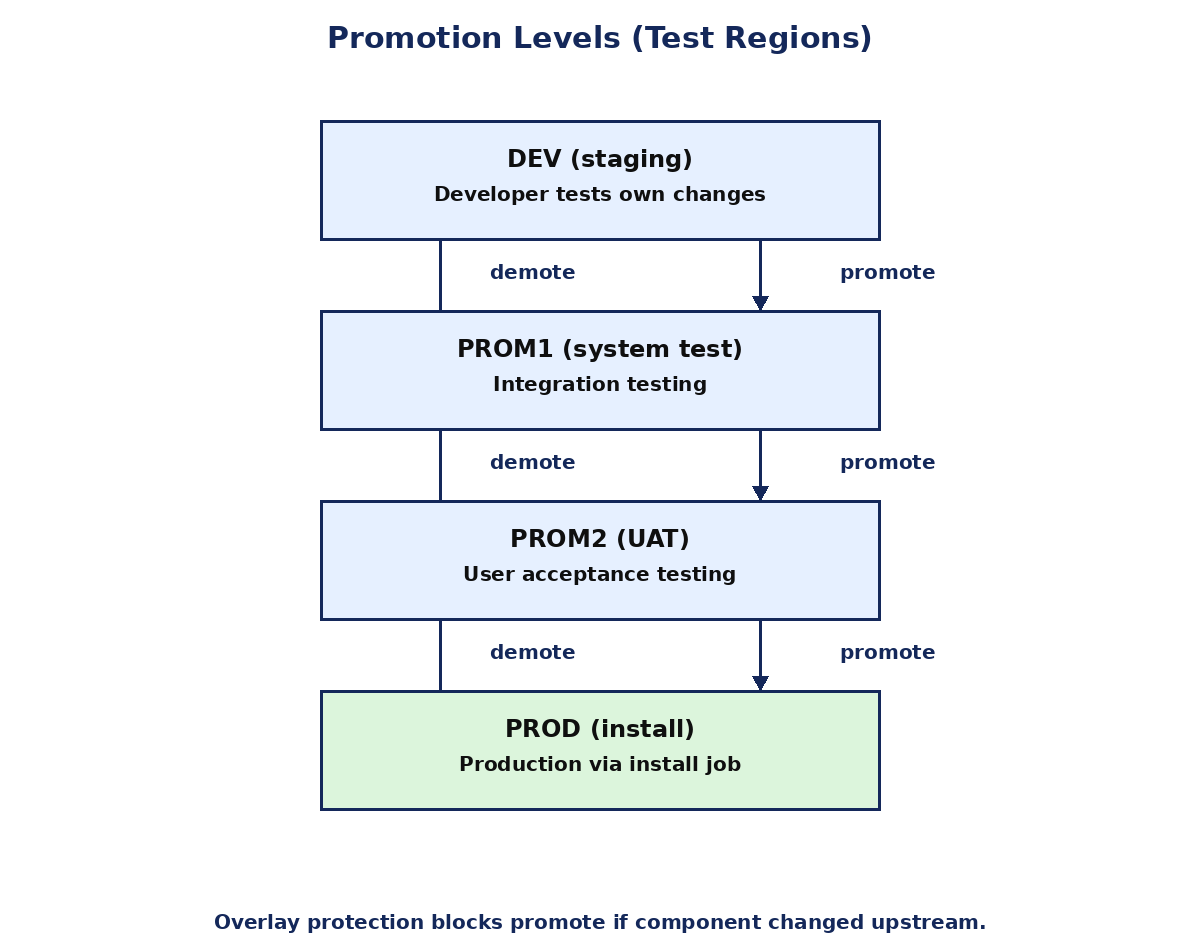
What promotion does
- Copies the frozen, audited components from the package staging datasets into the promotion libraries of the target level.
- Testing then runs against the promoted code: system/integration tests in PROM1, user acceptance tests in PROM2.
- Promotion is performed by a batch job submitted from the Promote panel; it can run immediately or at a scheduled date and time.
- The number and names of promotion levels are defined per application in global parameters.
Promote panel walkthrough
- From the package menu, select Promote/Demote.
- Enter the target promotion level (for example PROM1). Promote levels in order: you cannot jump from staging straight to PROM2.
- Choose immediate or a scheduled date and time for the promote job.
- Submit. ZMF runs the promote batch job and records the event in package history.
- Verify in the promotion status display that every component promoted with RC 0, then hand over to the testers.
Overlay protection
- Overlay means your older version of a component would overwrite a newer version already present at the target level.
- Example: package A promoted PAY1000 to PROM1. While you test, package B installs a newer PAY1000 into PROM1. If you now promote your package to PROM1, you would wipe out B's newer code.
- ZMF overlay protection blocks the promote and reports an overlay conflict instead of silently overwriting.
- To resolve: demote your package, check out the component again from the updated baseline (picking up the newer version), merge your change, re-stage, re-audit, re-freeze, and promote again.
Demotion
- Demote removes a package's components from a promotion level, restoring the previous versions there.
- Use demote when testing finds a bug: demote, unfreeze, fix, re-audit, re-freeze, and promote again.
- Demote is also the first step in resolving overlay conflicts before re-checking out the newer baseline version.
- Demotion is recorded in package history like every other lifecycle action.
Promotion history and status
- The package Query/History panels show every promote and demote: level, date, time, user, and return code.
- Check history before promoting to confirm which level the package currently sits at; promoting twice to the same level is harmless but wasteful.
- If a promote job fails, read its job output (sysout) for the failing step before retrying.