
 Mainframe Tutorial
 JCL Tutorial
 Introduction
 Mainframe Interview Q&A
 Mainframe Quiz
 Mainframe Memes
 Contact us
 About us
Module 10: CICS Transaction Processing
 Backward

Transaction Flow
Transaction flow is the path a transaction takes from the moment the user presses Enter until the response comes back.
Knowing the flow helps you find where time goes and where errors happen.
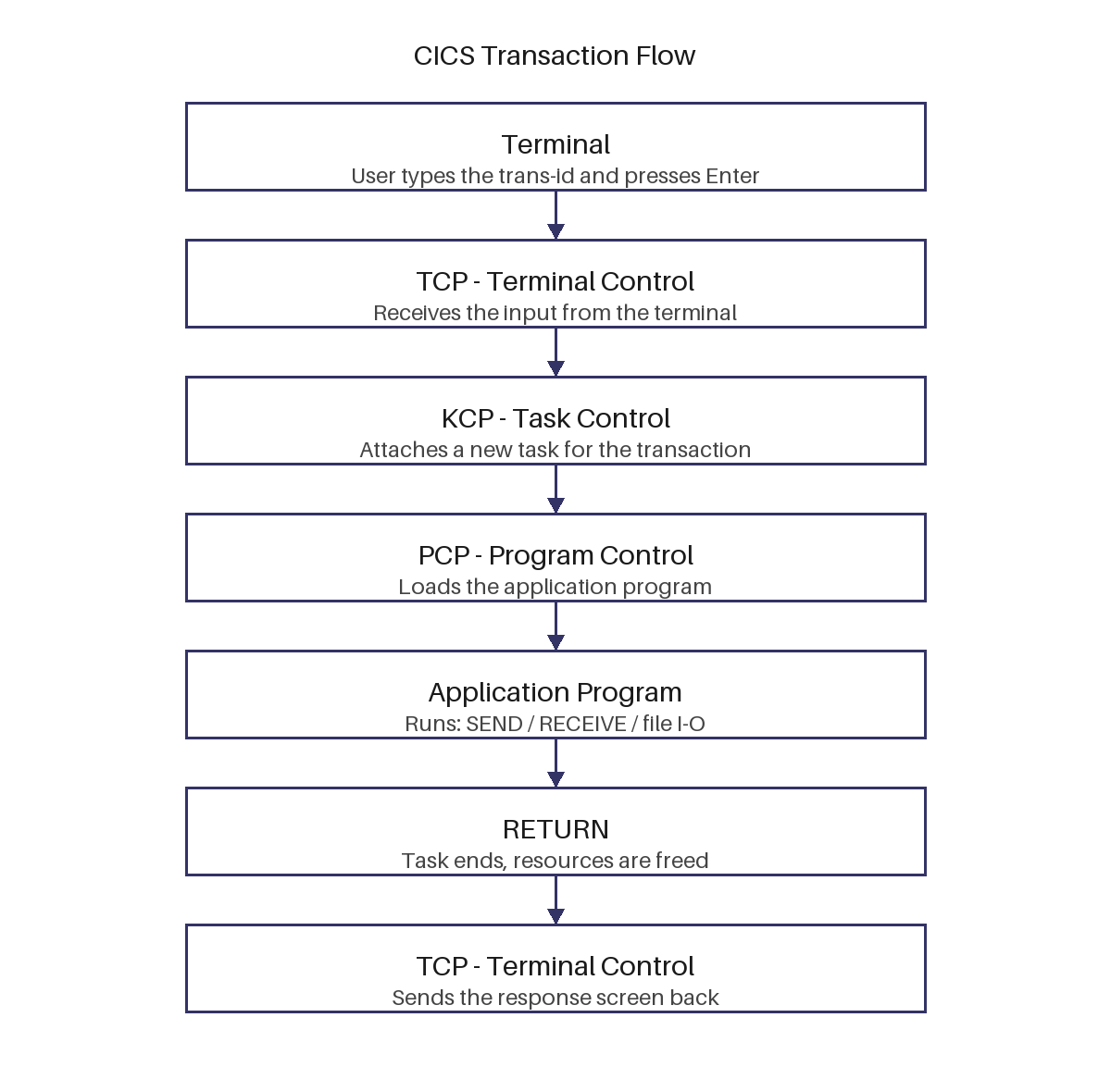
The flow step by step
- The user types the trans-id and presses Enter at the terminal.
- Terminal control (TCP) receives the input and passes it to task control (KCP).
- Task control attaches a task and asks program control (PCP) to load the program.
- The program runs: it sends maps, reads files, and finally issues RETURN.
- Task control ends the task and terminal control sends the last screen back to the user.
CICS components in the flow
- TCP (terminal control) handles all terminal input and output.
- KCP (task control) creates and dispatches tasks.
- PCP (program control) loads programs and handles LINK, XCTL, and RETURN.
- FCP (file control) handles the VSAM file requests issued along the way.
Control transfer inside the flow
- LINK calls a subprogram and returns to the caller; XCTL passes control to another program without returning.
- RETURN ends the program; RETURN TRANSID schedules the next step of the conversation.
- Each transfer stays inside the same task unless a new transaction is started.
- A break anywhere in this chain shows up as a hang, an abend, or the wrong screen.
Example of XCTL in the flow
- A menu program uses XCTL to pass control to the order program. There is no return.
- *--- menu program passes control to the order program --- EXEC CICS XCTL PROGRAM('ORDRPRG1') END-EXEC.
- After XCTL, the order program continues the same task that the menu program started.